 Skip to content
Flying through Boston Logan Airport doesn’t have to be stressful. This guide on How To Avoid Stress at Logan Airport Before Flying shares practical tips to help you prepare for a smooth departure, from booking reliable airport transportation with Boston City Ride and arriving early to navigating security checkpoints and finding your terminal with confidence. Whether you’re traveling for business or leisure, planning ahead, checking in online, and choosing dependable chauffeur transportation from Boston City Ride can make your airport experience more comfortable, efficient, and worry-free. With the right preparation, you can focus on enjoying your journey instead of dealing with last-minute travel challenges.
How To Avoid Stress at Logan Airport Before Flying
Flying from Logan Airport can feel stressful, especially when you are unsure about your terminal, boarding time, or where to go inside. That rush and uncertainty can make the start of a trip exhausting before it even begins.
With a little preparation, your travel day becomes much calmer and more enjoyable. Knowing your terminal, boarding time, and the latest 2026 airport updates before you arrive helps everything run smoothly from the moment you step inside.
Logan is not a small regional airport — it is a major hub that handles thousands of passengers every single day. Going in without a plan means you are already one step behind everyone else who prepared ahead of time.
Logan International Airport — A Quick Overview
Logan International Airport (BOS) is one of the busiest airports in the entire United States, serving millions of passengers every year. It welcomes travelers through four passenger terminals — A, B, C, and E — all connected to the MBTA Silver Line transit network.
The airport handles both domestic and international flights daily, which means foot traffic stays high throughout the day and night. Understanding the basic layout before your arrival is the single most effective way to cut stress from your travel day.
Whether it is long security lines, a crowded parking garage, or a surprise gate change, being unprepared at BOS is where most travel stress quietly starts. A little knowledge of how Logan works goes a very long way.
Logan is located right in East Boston, just minutes from downtown, which makes it very convenient to reach. However, that central location also means road traffic around the airport can be unpredictable, especially during rush hours and major events in the city.
Logan Terminal Breakdown — Know Before You Go
Each terminal at Logan serves a different purpose, and knowing which one your flight departs from saves time and confusion on the day. The four terminals are spread across the airport, and getting to the wrong one can cost you valuable minutes.
| Terminal | Primary use | Key features |
| Terminal A | Domestic flights | Major US carriers |
| Terminal B | Domestic flights | Budget & regional airlines |
| Terminal C | Domestic flights | Kidport play zones are family-friendly |
| Terminal D | International departures & arrivals | Mobile Passport Control lane |
Always double-check your terminal on your airline app or boarding pass at least 24 hours before your flight. Gate assignments and even terminals can change, so staying updated saves you a stressful last-minute sprint.
If you arrive at the wrong terminal, do not panic — there is a free shuttle bus that connects all four terminals at Logan. However, it takes extra time, so it is always better to know your correct terminal before you even walk through the front door.
The Right Time to Arrive at Boston Logan
Most travelers — first-timers and seasoned flyers alike — underestimate how unpredictable congestion gets at Logan. Arriving two hours early for domestic flights and three hours for international flights keeps gate changes and delays off your plate completely.
Peak congestion hits hardest during early mornings and late evenings, especially around holidays. Building a time buffer into your schedule and setting up real-time flight alerts at least four hours before departure keeps you ahead of any surprises.
Weekends tend to be busier than weekdays at Logan, particularly during summer and the holiday travel season. If you have any flexibility in your travel timing, mid-week morning flights are generally the smoothest experience at this airport.
Security wait times at Logan can vary a lot depending on the time of day and the season. On a normal weekday, you might clear in 15 minutes, but during spring break or a holiday weekend, that same line can stretch to 45 minutes or more.
Get Your Documents Ready the Night Before
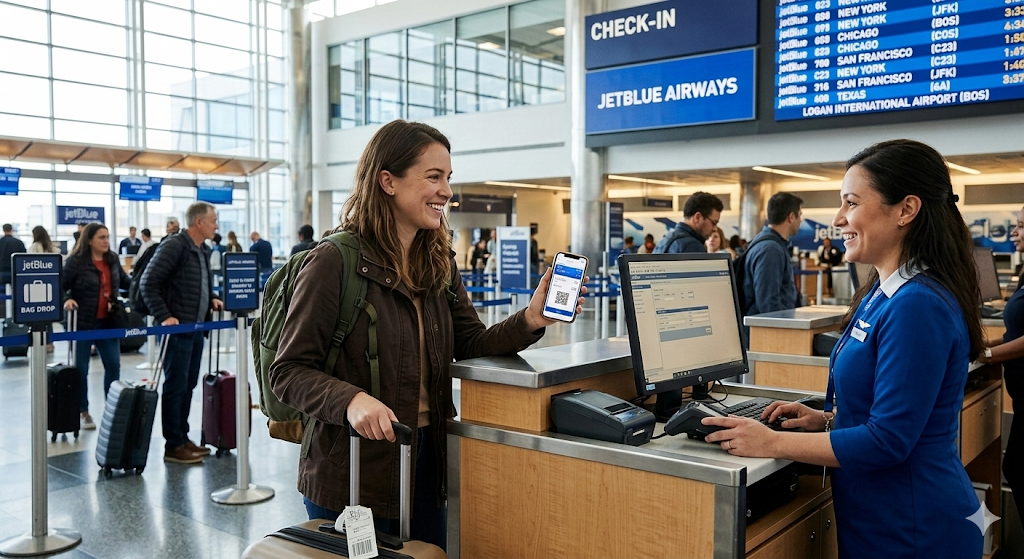
Before you even think about the security line, do a quick check the night before your flight. Your boarding pass should be downloaded to your airline app, your ID should be in an easy-reach pocket, and your confirmation email should be pulled up on your phone.
Confirm your luggage allowance 48 hours before departure so there are zero surprise fees at the bag drop counter. Experienced travelers know a calm airport experience always starts long before you leave home.
If you are traveling internationally, check that your passport is valid for at least six months beyond your travel date. Some countries require this, and catching it early saves a serious headache at the terminal.
Also, double-check that the name on your boarding pass matches your ID exactly, because even a small mismatch can cause problems at the security checkpoint. It takes one minute to verify and can save you a lot of unnecessary trouble on travel day.
Smart Ways to Get to Logan Without the Hassle
One of the things that quietly wrecks a trip before it begins is a poor transportation decision on travel day. The MBTA Silver Line SL1 runs free directly from South Station right into the terminal — it is the easiest and most stress-free option available.
If you are driving, pre-book off-site parking well ahead of the holiday season to lock in rates up to 50% lower than on-site garages. A reliable shuttle from an off-site lot beats circling Logan’s crowded garages during peak congestion every single time.
For rideshare pickups and drop-offs, use the designated ride app pick-up zones clearly marked at each terminal to avoid confusion. Always factor in 2026 ride-share surcharges before you commit to that option, especially during busy periods.
| Getting to Logan | Cost | Best For |
| MBTA Silver Line SL1 | Free from South Station | Budget-friendly, no parking stress |
| Off-site parking + shuttle | Up to 50% cheaper than on-site | Drivers wanting to save money |
| On-site parking garage | Higher daily rate | Convenience, short trips |
| Rideshare (Uber/Lyft) | Variable + 2026 surcharges | No parking needed |
| Taxi | Metered fare | Straightforward, no app needed |
If you are dropping someone off at Logan, use the cell phone waiting lots available near the airport to avoid paying for short-term parking. You can wait there for free and pull up to the terminal the moment your traveler is ready to be picked up.
How to Breeze Through Security at Logan
Most travelers lose time at security by forgetting simple basics — liquids in a clear zip bag, electronics out of the carry-on, and shoes off before reaching the belt. These small habits save several minutes when lines are long and busy.
Upgrading to TSA PreCheck or CLEAR makes a dramatic difference on holidays and busy weekends. Inspection lines can swallow even experienced travelers during peak congestion at Logan’s terminals.
If you are traveling with children or extra gear, give yourself a few extra minutes at security. Strollers, car seats, and baby formula all require additional screening steps that can slow down the process noticeably.
It also helps to wear minimal metal on travel day — belt buckles, bulky jewelry, and heavy boots all slow you down at the screening belt. Dressing simply for your security experience is one of the most overlooked time-saving habits a traveler can build.
Pack Your Carry-On Like a Seasoned Traveler
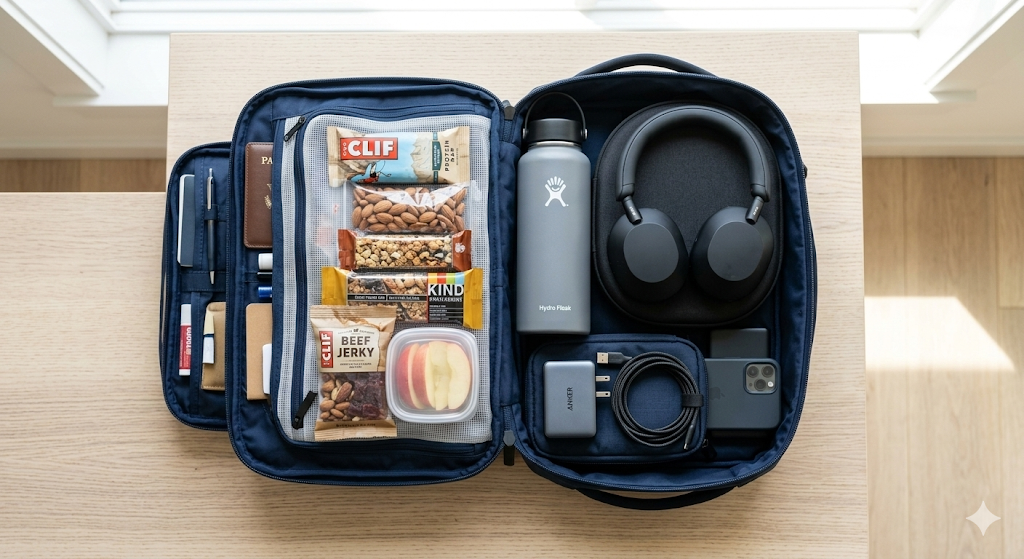
Your carry-on is your survival kit from the security checkpoint all the way to your seat on the plane. Pack dried fruits, nuts, and protein bars to skip overpriced airport food that often ignores dietary restrictions completely.
Bring a refillable water bottle kept empty before the checkpoint, then fill it at the free water stations available across all Logan terminals. That simple habit saves you around $6 every time you travel and adds up fast on frequent trips.
Keep your fully charged electronics and headphones at the top of your bag so they are easy to reach during security and boarding. A well-packed carry-on is not just organized — it is a time-saver at every step of your journey.
Think of your carry-on as having two zones — a security zone at the top for items you need to pull out quickly, and a comfort zone below for everything you need once you are on the plane. Organizing it this way before you leave home takes five minutes and saves a lot of fumbling at the checkpoint.
Watch Your Flight Status from the Moment You Wake Up
A flight change at Logan does not always come with a loud announcement or instant notification. If you are not watching your airline app or the departures board, a quiet gate swap or delay update can catch you completely off guard.
Stay plugged in from 48 hours before your flight, right through to your actual boarding time. That one simple habit keeps you ahead of surprises instead of rushing behind them at the last minute.
Many airlines now send push notifications for gate changes, so make sure your notification settings are turned on in your airline’s app. It takes 30 seconds to check and can save you from missing a flight entirely.
Third-party flight tracking apps like Flighty or FlightAware are also great backup tools that give you real-time updates independent of your airline. Having a second source of information gives you more confidence and an earlier heads-up when something changes.
Everything You Need to Know About Terminal E International Flights
Terminal E is Logan’s dedicated international hub and the busiest international gateway in New England. If you are heading abroad, the Mobile Passport app is one of the most useful tools you can have on your phone.
Open the app, answer five quick questions, complete your trip profile, and walk into the Mobile Passport Control line with an encrypted digital receipt instead of filling out paper forms. It is available at 24 airports across the US, including Logan, and is fully backed by U.S. Customs and Border Protection.
Download the app at least four hours before landing on your return trip, and you will already be ahead of most of the international crowd at customs. It cuts wait time noticeably and is completely free to use.
Terminal E also has a solid range of international dining options, duty-free shopping, and comfortable seating near the gates. If you arrive early for your international flight, it is actually one of the more pleasant terminals to spend time in at Logan.
Traveling with Kids — Making Logan Family-Friendly
Terminal C is the most family-friendly terminal at Logan, featuring Kidport play zones that give children a real, safe outlet before a long flight. It makes a real difference for parents managing young kids on travel days.
Accessibility upgrades across all terminals — including improved ramps, clearer signage, quiet sensory spaces, and private nursing pods — make Logan noticeably easier to navigate for families. Family restrooms are available throughout the airport as well.
If you are traveling with a stroller, car seat, or a lot of baby gear, arrive a little earlier than usual to give yourself extra time at check-in and security. The staff at Logan is generally very helpful, but extra equipment always adds a few minutes to the process.
A good tip for families is to head straight to the gate first to confirm your seat assignments before exploring the terminal. Once you know your gate and boarding time are locked in, you and the kids can relax and use the play zones without any extra stress.
What Logan Has to Offer Once You Clear Security
Once you clear security, most travelers head straight to their gate and sit down to wait. But Logan actually rewards the travelers who take a few minutes to slow down and look around.
Terminal C has Kidport, Terminal E offers solid free Wi-Fi and plenty of power outlets, and pet relief areas are located both inside and outside across several terminals. Quiet nursing pods and family restrooms are spread throughout the airport to make the experience more comfortable.
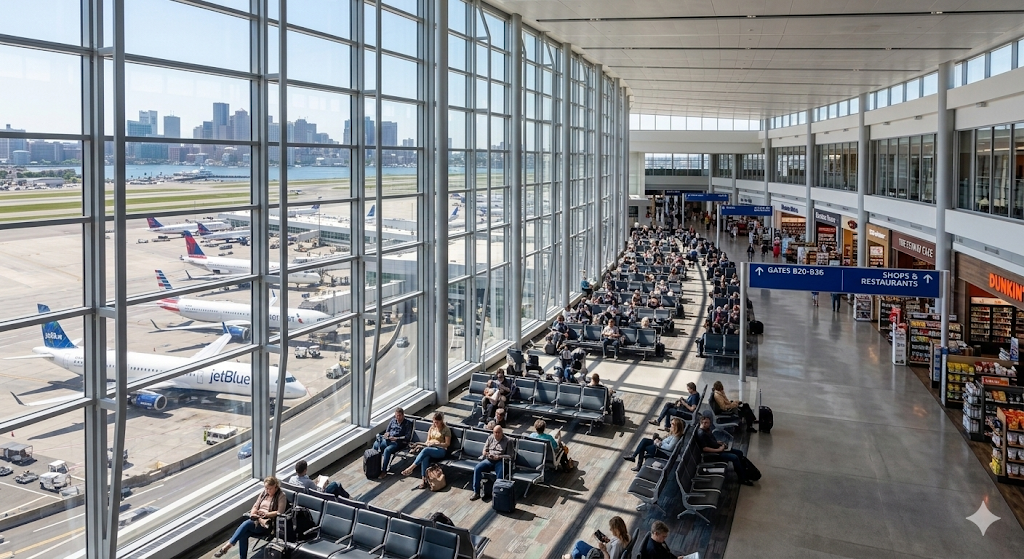
There are also dining options, coffee shops, and retail stores in each terminal to help you pass the time. A short walk around your terminal after security is a great way to stretch your legs before a long flight.
If you have a long layover or an early arrival, Logan’s terminals are genuinely comfortable places to wait. Grab a coffee, find a power outlet near a window seat, and treat the extra time as a chance to decompress before your flight rather than a frustrating delay.
How to Stay Calm When Your Flight Gets Delayed
When a delay or gate change catches you off guard, the most important thing is to stay calm and act quickly. Confirm your revised gate on the departures board or your app, grab some water, and find a quiet corner of the terminal to sit and regroup.
A delayed flight is an inconvenience, not a disaster — and Logan has enough comfortable spaces to make a wait bearable. Staying calm and focused makes it far easier to handle whatever situation comes your way at the airport.
If your delay stretches beyond two hours, check with your airline at the gate desk about your options. You may be eligible for meal vouchers, a rebooking on an earlier flight, or other compensation depending on the reason for the delay.
Use the extra time wisely — charge your devices, grab a proper meal, and review your onward travel plans so you are fully ready when boarding finally opens. A delay handled well can actually make the rest of your trip feel smoother by giving you a moment to breathe and reset.
Dress the Right Way for a Stress-Free Airport Day
What you wear to the airport quietly shapes your entire travel experience from start to finish. Skip stiff denim and reach for comfortable, breathable layers you can easily put on and take off throughout the day.
Terminal temperatures at Logan swing wildly between freezing gate areas and warm, sun-baked boarding zones. Wearing layers means you are always comfortable, no matter where in the airport you happen to be sitting or walking.
Comfortable slip-on shoes also make security screening faster since you will not be fumbling with laces at the belt. It is a small detail that consistently pays off throughout the entire travel day.
Keep Your Devices Charged and Your Entertainment Ready
Pack fully charged devices before heading to Logan — a phone loaded with downloaded shows, playlists, or podcasts turns even a long delay into useful personal downtime. Unpredictable boarding times at a busy hub like Logan make pre-loaded entertainment essential.
Always pack a portable charger in your carry-on alongside your other essentials. Your airline app, boarding pass, and real-time alerts all disappear when your phone battery hits zero at the gate — a portable charger is the simplest insurance against that problem.
For longer domestic or international flights, adding a neck pillow, earbuds, and a lightweight eye mask to your bag transforms a draining journey into something genuinely restful. These small items take almost no space but make a big difference mid-flight.
Local Seasonal Hacks Only Boston Travelers Know
Logan during the holiday season is a completely different experience from a quiet Tuesday in March. Peak congestion hits its absolute worst during Thanksgiving, Christmas, and school spring break — and being prepared for that reality makes all the difference.
Savvy local travelers always pre-book parking weeks in advance, set flight alerts four hours before departure, and avoid the airport during the early morning and late evening rush whenever possible. Even arriving 30 minutes earlier than you planned can mean the difference between a calm morning and a stressful sprint to the gate.
Construction zones near Logan have also affected traffic flow in recent years, so check local traffic updates on Google Maps or Waze before you leave for the airport. A 20-minute traffic delay on the road can quickly turn into a missed flight if you have not built in enough buffer time.
Boston weather is also worth factoring in, especially between November and March when snow and ice regularly cause both road delays and flight disruptions. Checking the forecast the night before your flight and giving yourself extra travel time during winter months is one of the smartest habits a Logan traveler can have.
Your Complete 48-Hour Pre-Flight Checklist for Logan
- Download boarding passes to your airline app and save QR codes for offline access
- Confirm your terminal — A, B, C (domestic) or E (international)
- Check luggage allowance to avoid surprise fees at the bag drop counter
- Pre-book parking or plan your MBTA Silver Line SL1 route in advance
- Charge all devices — phone, tablet, portable charger, and wireless earbuds
- Pack your carry-on with snacks, an empty water bottle, and all travel accessories
- Set up real-time flight alerts on your airline app or a third-party flight tracker
- Check traffic and construction near Logan before leaving home
- International travelers: Download the Mobile Passport app and complete your full profile
- Dress in layers with comfortable slip-on shoes for easy security screening
Frequently Asked Questions
How early should I arrive at Logan?
Arrive at Logan two hours before domestic flights and three hours before international departures.
Is the Silver Line free from Logan?
The Silver Line is free on inbound trips from Logan to South Station, but outbound trips require fare payment.
Can I skip security without PreCheck?
Without PreCheck, you can skip security using Ticket to Skip or the Logan Express fast-track option.
Where is CLEAR at Logan?
CLEAR is available at Logan in Terminals A, B, and E.
Is off-site parking cheaper than Logan garages?
Off-site parking is up to 50 percent cheaper than Logan garages, though it requires a shuttle service.